
A website redesign SEO disaster is every business owner’s nightmare. You invest thousands of dollars into a beautiful new website, launch it with excitement, and then watch in horror as your organic traffic plummets by 50%, 70%, or even 90% overnight. This scenario plays out far more often than it should, and it is almost always preventable.
Whether you are a growing company in New York refreshing your brand online or a London-based business upgrading to a modern platform, a website redesign does not have to mean sacrificing the search engine rankings you have worked so hard to build. The key is planning your site migration with SEO as a core priority from the very beginning — not as an afterthought after the new design is already built.
At Webdo Solutions, we specialise in website development that protects and enhances your search visibility. Need expert help with your redesign? We have guided businesses across the US and UK through seamless website migrations.
This complete migration guide walks you through every step of redesigning your website while preserving — and even improving — your SEO performance.
Need a professional SEO strategy tailored to your business?
Get a free SEO audit from Webdo Solutionsand find out where you stand today.
What Is a Website Redesign SEO Migration?
A website redesign SEO migration is the structured process of transitioning a website from its current design, structure, or platform to a new version while systematically preserving search engine rankings, organic traffic, backlink equity, and indexed content. It involves URL mapping, redirect implementation, content auditing, and technical SEO validation to ensure search engines can seamlessly crawl and index the new site.
Why Website Redesigns Often Destroy SEO Rankings
Before diving into the solution, it is important to understand why redesign traffic loss happens so frequently. Recognising these causes helps you avoid them.
Changed URLs Without Redirects
This is the number one SEO killer during a redesign. When your URL structure changes — from example.com/services/seo to example.com/what-we-do/search-optimization, for instance — and no 301 redirects are in place, Google treats the new URLs as entirely new pages. All the ranking authority, backlinks, and search equity built up over years on the old URLs simply vanishes.
Lost or Altered Content
Designers and developers often focus on aesthetics during a redesign, sometimes removing or significantly altering content that was driving organic traffic. A page that ranked well for a specific keyword might get merged with another page, stripped down to a few sentences, or removed entirely.
Broken Internal Linking Structure
Your internal linking structure distributes authority throughout your website and helps search engines understand your site hierarchy. A redesign that disrupts this structure — broken links, removed navigation elements, changed menu structures — can cause widespread ranking drops across your entire site.
Technical SEO Regressions
New website designs often introduce technical issues: slower page speeds from unoptimised images and scripts, missing meta tags, broken schema markup, improper canonical tags, or blocked resources in robots.txt. Each of these technical SEO regressions can individually damage rankings.
Server and Hosting Changes
Sometimes a redesign involves moving to a new hosting provider or server configuration. Server response times, SSL certificate issues, and DNS propagation problems can all temporarily or permanently harm your search visibility.
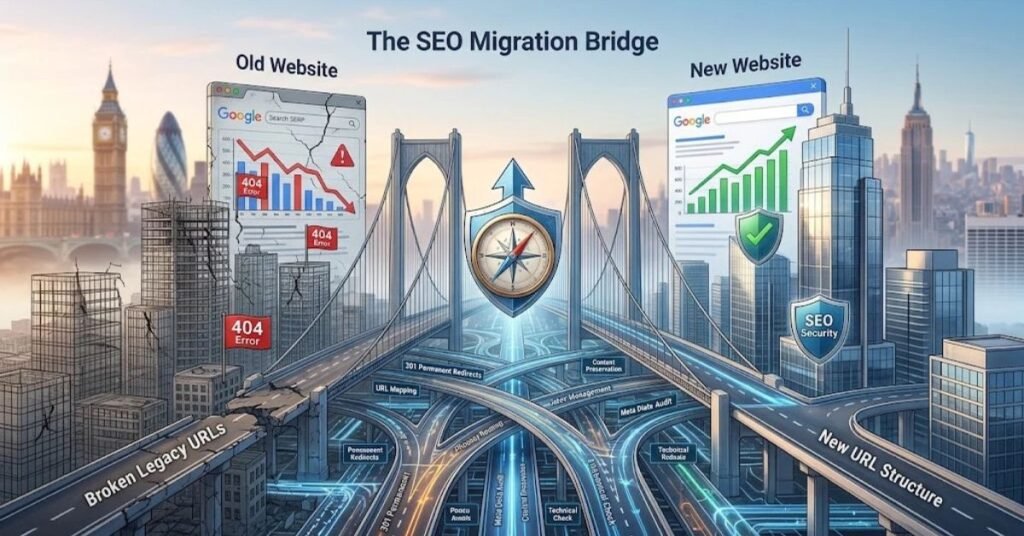
The Complete Website Redesign SEO Checklist
Follow this step-by-step SEO migration checklist to protect your rankings through every phase of your redesign.
Phase 1: Pre-Redesign Audit and Planning
This phase happens before any design or development work begins. It is the foundation of a successful migration.
Step 1: Crawl and Document Your Current Site
Use tools like Screaming Frog, Ahrefs, or Semrush to create a complete inventory of your current website:
- Every URL on your site (including images, PDFs, and other assets)
- Current page titles, meta descriptions, and header tags
- Internal linking structure and site architecture
- Current indexation status in Google Search Console
- Pages receiving organic traffic (from Google Analytics)
- Pages with external backlinks (from Ahrefs or Semrush)
This documentation serves as your baseline. You cannot protect what you do not measure.
Step 2: Identify Your Most Valuable Pages
Not all pages contribute equally to your organic traffic. Use Google Analytics and Google Search Console to identify:
- Top traffic pages — pages driving the most organic visits
- Top converting pages — pages generating leads and sales
- Top-linked pages — pages with the most external backlinks
- Top-ranking pages — pages ranking on page one for target keywords
These pages require the most attention during migration. Any changes to them must be carefully planned and executed.
Step 3: Define Your New URL Structure
Before development begins, map out your new URL structure. Best practices for SEO-friendly URLs include:
- Keep URLs short and descriptive
- Include target keywords naturally
- Use hyphens to separate words
- Avoid unnecessary parameters, session IDs, or dynamic strings
- Maintain a logical hierarchy that reflects your site structure
If possible, keep URLs identical to the current structure. Every URL change requires a redirect, and while redirects preserve most link equity, there is always some minor loss.
Step 4: Create a Complete URL Mapping Document
This is the most critical document in your entire migration. Create a spreadsheet that maps every old URL to its corresponding new URL:
| Old URL | New URL | Redirect Type | Notes |
| /services/seo/ | /seo-services/ | 301 | Primary service page |
| /blog/seo-tips/ | /seo-tips/ | 301 | Blog post, high traffic |
| /about-us/ | /about/ | 301 | Minor URL change |
| /old-service/ | (removed) | 301 → closest relevant page | Content consolidated |
Every single URL must be accounted for. No exceptions.
Step 5: Benchmark Current Performance
Record your current SEO performance metrics before the migration:
- Total organic traffic (monthly)
- Keyword rankings for target terms
- Domain authority and backlink profile
- Core Web Vitals scores
- Crawl statistics from Google Search Console
- Indexation numbers (total indexed pages)
These benchmarks are essential for measuring the success of your migration and identifying any issues post-launch.
Phase 2: Development and Pre-Launch
During the development phase, work closely with your developers to ensure SEO requirements are built into the new site from the start.
Step 6: Implement 301 Redirects
Using your URL mapping document, implement 301 permanent redirects for every URL that has changed. The 301 redirect tells search engines that the page has permanently moved to a new location and to transfer the ranking authority accordingly.
Critical 301 redirect rules:
- Redirect old URLs to their exact equivalents — not to the homepage or a generic category page
- Avoid redirect chains — A redirecting to B redirecting to C loses equity at each hop
- Test every redirect before launch using tools like Screaming Frog or httpstatus.io
- Include variations — redirect both with and without trailing slashes, www and non-www
For businesses operating across the United States and United Kingdom, ensure country-specific pages and hreflang tags are properly redirected to their new counterparts.
Step 7: Preserve On-Page SEO Elements
Ensure every page on the new site maintains its optimised SEO elements:
- Title tags — same target keywords, within 60 characters
- Meta descriptions — compelling, keyword-rich, within 160 characters
- H1 tags — one per page, containing the primary keyword
- Header hierarchy — proper H2/H3/H4 structure maintained
- Image alt text — descriptive, keyword-relevant alt attributes
- Internal links — all internal links updated to new URLs (not relying on redirects)
Step 8: Maintain or Improve Content
Every page that currently ranks should retain its content in the new design. You can improve content during a redesign — add more depth, update statistics, improve readability — but never remove or significantly reduce content on ranking pages without a strategic reason.
If you are consolidating pages, ensure the destination page includes the best content from all merged pages and that proper redirects point from the removed URLs.
Step 9: Technical SEO Implementation
Build these technical SEO elements into the new site:
- XML sitemap — updated with all new URLs, submitted to Google Search Console
- Robots.txt — properly configured, not accidentally blocking important pages
- Canonical tags — self-referencing canonicals on every page
- Schema markup — Article, Organization, LocalBusiness, FAQ, and Breadcrumb schemas as appropriate
- SSL certificate — properly installed with HTTPS across all pages
- Hreflang tags — for US/UK multi-region targeting
- Open Graph tags — for social media sharing
- Mobile responsiveness — fully responsive across all devices
Step 10: Speed Optimisation
A new design is an opportunity to improve page speed, not degrade it:
- Compress and convert images to WebP format
- Minify CSS, JavaScript, and HTML
- Implement lazy loading for images below the fold
- Use a content delivery network (CDN)
- Optimise server response times
- Target Core Web Vitals benchmarks: LCP under 2.5 seconds, CLS under 0.1, INP under 200ms
Strong website development services always prioritise performance alongside design. At Webdo Solutions, we build every site to meet Google’s Core Web Vitals standards.
Step 11: Staging Site Testing
Before launching, test the new site thoroughly on a staging environment:
- Crawl the staging site with Screaming Frog to identify broken links, missing meta tags, and redirect issues
- Test all 301 redirects
- Check mobile responsiveness on multiple devices
- Run PageSpeed Insights tests
- Validate schema markup with Google’s Rich Results Test
- Test all forms, CTAs, and conversion elements
- Compare page-by-page with the current site to catch missing content
Important: Ensure the staging site is blocked from search engines with robots.txt and noindex tags. You do not want Google indexing your staging URLs.
Phase 3: Launch Day
Launch day requires careful coordination between your marketing, development, and SEO teams.
Step 12: Deploy and Verify Redirects
Deploy the new site and immediately verify:
- All 301 redirects are firing correctly
- No redirect chains or loops exist
- The staging robots.txt and noindex tags have been removed
- The live site is fully crawlable
- SSL is properly configured (no mixed content warnings)
- The new XML sitemap is accessible
Step 13: Submit to Google Search Console
Immediately after launch:
- Submit the updated XML sitemap in Google Search Console
- Request indexing for your most important pages using the URL Inspection tool
- Monitor the Coverage report for crawl errors
- Check for any manual actions or security issues
Step 14: Monitor Real-Time Performance
In the first 24-48 hours after launch, closely monitor:
- Server uptime and response times
- Crawl activity in Google Search Console
- Real-time traffic in Google Analytics
- Core Web Vitals in the field
- Any 404 errors appearing in server logs
Phase 4: Post-Launch Monitoring and Recovery
The work does not stop at launch. The weeks following a migration are critical for ensuring long-term SEO success.
Step 15: Weekly SEO Audits (First Month)
For the first four weeks after launch, conduct weekly audits:
- Week 1: Focus on crawl errors, redirect issues, and indexation
- Week 2: Monitor keyword rankings and organic traffic trends
- Week 3: Check backlink profile for any lost or broken links
- Week 4: Comprehensive performance comparison against pre-migration benchmarks
Step 16: Address Ranking Fluctuations
Some ranking fluctuation after a migration is normal. Google needs time to recrawl and reindex your site, reassess content quality, and process redirects. Typical recovery timelines:
- Minor redesign (same platform, similar structure): 2-4 weeks
- Moderate redesign (URL changes, content updates): 4-8 weeks
- Major migration (new platform, new domain, new structure): 8-16 weeks
If traffic has not recovered within these timeframes, investigate specific pages and keywords that have dropped for issues.
Step 17: Update External Backlinks
Contact the owners of your most valuable external backlinks and request they update the links to point to your new URLs. While 301 redirects pass most link equity, a direct link to the live URL is always preferable.
Also update your backlinks on:
- Social media profiles
- Business directory listings
- Google Business Profile
- Industry association pages
- Partner and vendor websites
Real-World Migration Success: Protecting SEO During Redesign
Webdo Solutions has guided numerous businesses through successful website redesigns that preserved and enhanced their SEO performance. Our approach to website development always begins with a comprehensive SEO audit and migration plan.
For Lopez Law Group, our systematic approach to SEO contributed to achieving +362% organic traffic growth and 100+ first-page rankings. Protecting existing rankings during any site updates was central to maintaining that momentum.
The key lesson from every successful migration we have managed: SEO planning must start before the first wireframe is drawn, not after the new site is built.
You can view our complete portfolio of successful projects at our projects page.
SEO Search Console Performance & Stats
Verified data and visual proof extracting key client traffic, impression shifts, and rankings from real campaigns.


| Client Case Study | Market | Metric Type | Before | After |
|---|---|---|---|---|
| Dallas Parrots | USA | Impressions | 219K | 4.73M |
| Dallas Parrots | USA | Average Position | 18.4 | 6.8 |
| DFW Property Remodelers | USA | Clicks | Baseline | +2,150% |
| DFW Property Remodelers | USA | Impressions | Baseline | +8,047% |
| Lopez Law Group | USA | Clicks | Baseline | +362% |
| XO Cabs | UK | Traffic | Baseline | +340% |
| Hiq Furnishings | UK | Impressions (90 Days) | 0 | 17K |
| FintechZoom Official | USA | Impressions (60 Days) | 0 | 88K |
| Weight Lift Calculator | USA | Clicks | Baseline | +3,104% |
Want Your Business to Be the Next Case Study?
Send your website link and receive a full performance breakdown and audit.
Get Free Website AuditTools You Need for a Successful Website Migration
Here are the essential tools for managing your website redesign SEO migration:
Crawling and Auditing
- Screaming Frog SEO Spider — crawl both old and new sites to compare structure
- Ahrefs Site Audit — identify technical SEO issues
- Google Search Console — monitor indexation, crawl errors, and performance
Redirect Testing
- httpstatus.io — test individual redirect chains
- Redirect Path Chrome Extension — check redirects as you browse
- Screaming Frog — bulk redirect testing
Performance Monitoring
- Google PageSpeed Insights — Core Web Vitals testing
- GTmetrix — detailed performance analysis
- Google Analytics — traffic monitoring and comparison
Backlink Monitoring
- Ahrefs — monitor backlink profile changes
- Semrush — track backlink acquisition and loss
- Google Search Console — review external links report
Frequently Asked Questions
Will a website redesign hurt my SEO?
A website redesign will hurt your SEO only if it is executed without proper planning and migration procedures. With a comprehensive URL mapping, properly implemented 301 redirects, preserved content and on-page elements, and thorough technical SEO checks, a redesign can actually improve your SEO performance. The key is treating SEO as a core requirement of the redesign project, not an afterthought.
How do I set up 301 redirects?
The method for implementing 301 redirects depends on your server and platform. On Apache servers, redirects are added to the .htaccess file using Redirect 301 /old-url/ /new-url/ syntax. On Nginx servers, you use return 301 directives in the server configuration. WordPress users can use plugins like Redirection or Yoast SEO Premium. For large-scale migrations, server-level redirects are more reliable and performant than plugin-based solutions. Every old URL must redirect to its closest equivalent new URL — never redirect everything to the homepage.
How long does it take to recover rankings after a redesign?
Recovery time depends on the scope of changes. Minor redesigns with few URL changes typically recover within two to four weeks. Moderate redesigns involving URL restructuring and content updates may take four to eight weeks. Major migrations involving a new domain, new platform, and complete restructuring can take eight to sixteen weeks. If rankings have not recovered within these timeframes, investigate for missing redirects, lost content, technical issues, or broken internal links that may be preventing recovery.
Should I change my domain name during a redesign?
Changing your domain name during a redesign adds significant risk and complexity to the migration. A domain change requires all the same migration steps plus additional considerations for domain authority transfer, backlink updates, and brand recognition. Unless there is a compelling business reason for the domain change, it is advisable to keep your existing domain and focus the redesign on improving the site itself.
Can a redesign actually improve SEO?
Absolutely. A well-planned redesign provides opportunities to improve page speed, enhance mobile responsiveness, clean up technical debt, improve site architecture, consolidate thin content, add schema markup, and modernise your SEO strategy. Many businesses see significant ranking improvements after a properly executed redesign that addresses longstanding technical and content issues.
Conclusion: Plan Your Redesign With SEO at the Centre
A website redesign is a significant investment in your business’s digital future. Protecting that investment means ensuring your SEO performance is preserved and enhanced throughout the process. Every successful migration starts with thorough planning, meticulous URL mapping, properly implemented redirects, and ongoing monitoring.
Do not leave your rankings to chance. Whether you are upgrading your platform, refreshing your brand, or building a completely new site, make SEO the foundation of your redesign strategy.
At Webdo Solutions, we build websites that look stunning and perform brilliantly in search. Our website development services include comprehensive SEO migration planning as standard.
Ready to redesign without the risk? Contact Webdo Solutions for a free website audit and migration consultation.
About the Author: Ozair Sharif is the Founder and CEO of Webdo Solutions, a full-service digital marketing agency specializing in SEO, AEO, GEO, and website development for businesses across the United States and United Kingdom.