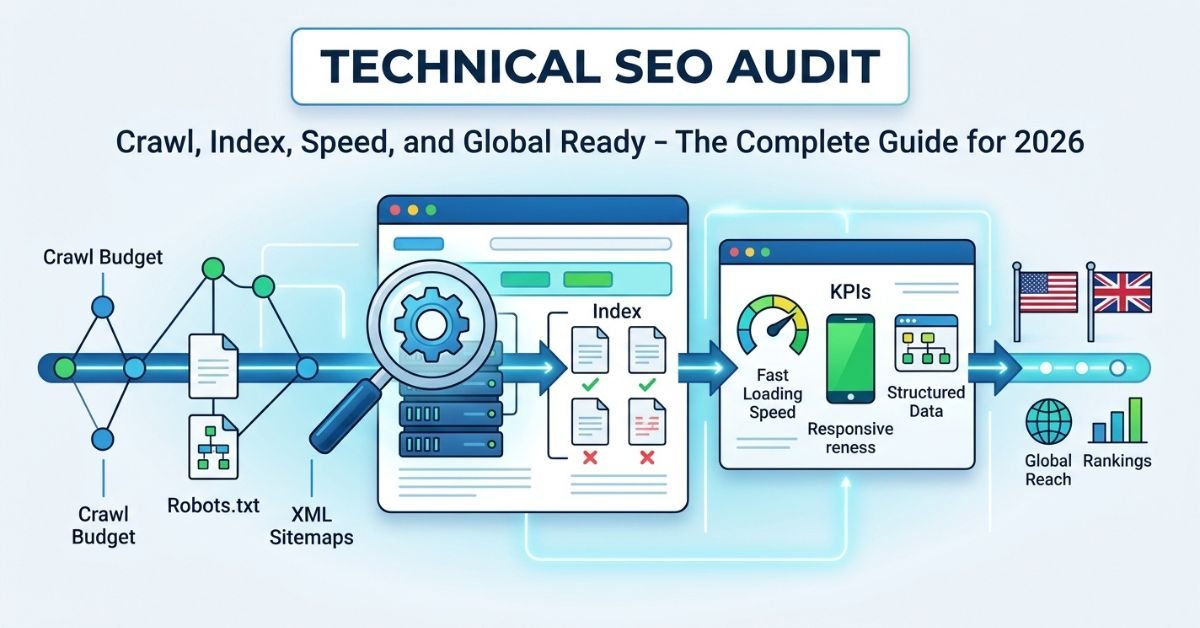
You can have the best content on the internet, but if search engines cannot crawl and index your pages properly, no one will ever find it. A thorough technical SEO audit is the diagnostic check that every website needs — it reveals the hidden issues that silently sabotage your rankings, even when your content and backlink profile are strong. At Webdo Solutions, we start every client engagement with a comprehensive technical audit because we know from experience that the fastest ranking improvements often come from fixing technical foundations, not creating new content. This guide walks you through the complete technical SEO audit process we use for businesses across the United States and United Kingdom.
Do not have time to run your own audit? Get a free technical SEO audit from Webdo Solutions — we will crawl your site and deliver a prioritised action plan within 48 hours.
Need a professional SEO strategy tailored to your business?
Get a free SEO audit from Webdo Solutionsand find out where you stand today.
What Is Technical SEO?
Technical SEO is the process of optimizing the technical infrastructure of a website so that search engines can efficiently crawl, render, index, and rank its pages. It covers site architecture, page speed, mobile usability, structured data, security, and server configuration — the behind-the-scenes elements that determine whether your content is even eligible to appear in search results. Businesses use technical SEO audits to identify and fix the hidden issues that prevent their pages from achieving their full ranking potential.
Why Technical SEO Audits Are Non-Negotiable
Many businesses invest heavily in content and link building while neglecting the technical foundation that makes those investments productive. Here is why that is a costly mistake.
Google Cannot Rank What It Cannot Crawl
Search engines discover and evaluate your content through automated crawlers (Googlebot, Bingbot). If your site has crawlability issues — blocked pages, broken links, redirect chains, or server errors — those crawlers cannot access your content. Pages that are not crawled are not indexed. Pages that are not indexed do not rank. It is that simple.
Technical Issues Compound Silently
A single misconfigured robots.txt file can deindex an entire section of your site. A canonical tag error can cause Google to choose the wrong page as the “official” version. A slow server response time can reduce your crawl budget, meaning Google visits fewer of your pages. These issues rarely produce visible errors — they simply erode your performance over time until you wonder why your traffic is declining despite consistent content production.
Core Web Vitals Are Ranking Factors
Google’s Core Web Vitals — measuring loading speed, interactivity, and visual stability — are confirmed ranking factors. Sites that fail these metrics face a direct ranking disadvantage, particularly on mobile where the majority of searches now occur.
AI Search Engines Have Technical Preferences Too
With the rise of GEO (Generative Engine Optimization) and AEO (Answer Engine Optimization), technical health extends beyond Google. AI search engines like ChatGPT, Perplexity, and Google’s AI Overviews rely on clean HTML structure, proper schema markup, and fast-loading pages to extract and cite content accurately. A technically sound site is better positioned for visibility across all search surfaces.
Phase 1: Crawlability Audit
The first phase of any technical SEO audit focuses on whether search engines can actually reach and read your pages.
Check Your Robots.txt File
Your robots.txt file tells search engine crawlers which parts of your site they are allowed to access. A misconfigured robots.txt is one of the most common — and most damaging — technical SEO issues.
What to check: – Location — Your robots.txt must be accessible at yourdomain.com/robots.txt – Disallow rules — Ensure you are not accidentally blocking important pages or entire directories. Common mistakes include blocking /wp-admin/ (which also blocks CSS/JS files Google needs to render pages) or having a leftover Disallow: / from a staging environment – Sitemap reference — Your robots.txt should include a reference to your XML sitemap: Sitemap: https://yourdomain.com/sitemap.xml – Crawl-delay — Unless your server genuinely cannot handle Google’s crawl rate, avoid setting a crawl-delay. It slows indexation unnecessarily
Verify Your XML Sitemap
Your XML sitemap is a roadmap that tells search engines which pages you want indexed and how frequently they are updated.
What to check: – Exists and is accessible — Submit your sitemap through Google Search Console – Contains only indexable URLs — No 404s, redirects, or pages with noindex tags – Updated automatically — Your CMS should regenerate the sitemap when pages are added or removed – Reasonably sized — Individual sitemap files should contain no more than 50,000 URLs. Use a sitemap index file for larger sites – Includes all important pages — Cross-reference your sitemap with a crawl of your site to identify pages that are missing
Crawl Your Site
Use a crawling tool (Screaming Frog, Sitebulb, or Ahrefs Site Audit) to crawl your entire site and identify:
- Broken internal links (404 errors) — These waste crawl budget and create poor user experiences. Fix or redirect every internal 404
- Redirect chains — A redirect chain (A → B → C → D) forces crawlers through multiple hops. Each hop loses a small amount of link equity. Consolidate to a single redirect (A → D)
- Orphan pages — Pages that exist on your site but have no internal links pointing to them. Search engines may never discover orphan pages, regardless of their quality
- Duplicate content — Pages with identical or near-identical content compete against each other in rankings. Consolidate with canonical tags or 301 redirects
- Server errors (5xx) — These indicate server-level problems that prevent pages from loading for both users and crawlers
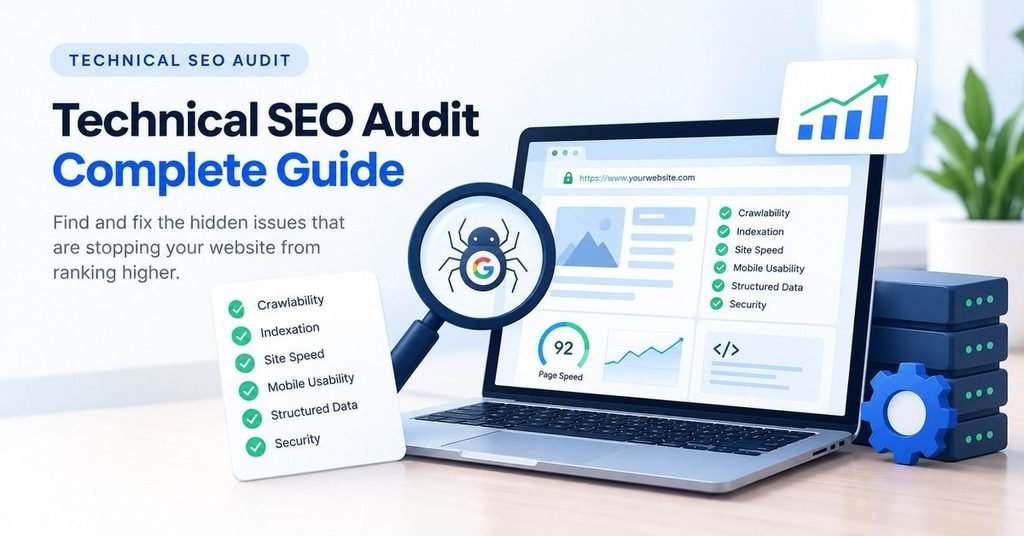
Phase 2: Indexation Audit
Once you have confirmed that crawlers can access your site, the next step is ensuring the right pages are being indexed — and the wrong pages are not.
Check Index Coverage in Google Search Console
Google Search Console’s Coverage report (now called “Pages”) shows exactly how many of your pages are indexed, excluded, or errored.
What to review: – Valid pages — The number of pages Google has indexed. Compare this to the number of pages in your sitemap. A large gap indicates indexation issues – Excluded pages — Understand why each page is excluded. Common reasons include: “Crawled — currently not indexed” (Google found the page but chose not to index it, often due to thin content), “Duplicate without user-selected canonical,” and “Blocked by robots.txt” – Error pages — Server errors and redirect errors need immediate attention – Valid with warnings — Pages indexed but flagged with potential issues
Audit Your Canonical Tags
Canonical tags tell search engines which version of a page is the “official” one. Incorrect canonical tags are a frequent source of indexation problems.
What to check: – Self-referencing canonicals — Every indexable page should have a canonical tag pointing to itself – Cross-domain canonicals — Only use these when you intentionally want content on one domain to credit another – Canonical conflicts — Ensure the canonical tag, robots meta tag, and sitemap all agree on which pages should be indexed – Pagination canonicals — Paginated content (page 2, page 3) should not canonical to page 1. Each paginated page should self-canonical
Review Your Noindex Tags
The noindex meta tag tells search engines not to include a page in their index. Misapplied noindex tags can accidentally hide important pages.
What to check: – No important pages have noindex — Service pages, blog posts, and product pages should never be noindexed – Appropriate pages are noindexed — Thank-you pages, tag archives, author archives (if thin), and internal search results pages should typically be noindexed – Noindex is not conflicting with canonical — A page with a noindex tag should not also be listed in your sitemap or pointed to by canonical tags on other pages
Phase 3: Site Speed and Core Web Vitals Audit
Page speed directly impacts both user experience and rankings. This phase of the audit ensures your site meets Google’s performance standards.
Core Web Vitals Metrics
Google evaluates three specific performance metrics:
| Metric | What It Measures | Good Threshold |
| LCP (Largest Contentful Paint) | How quickly the main content loads | Under 2.5 seconds |
| INP (Interaction to Next Paint) | How quickly the page responds to user input | Under 200 milliseconds |
| CLS (Cumulative Layout Shift) | How much the page layout shifts during loading | Under 0.1 |
How to Test Core Web Vitals
- Google PageSpeed Insights — Provides both lab data (simulated) and field data (real user metrics) for any URL
- Google Search Console — The Core Web Vitals report shows site-wide performance across mobile and desktop
- Chrome DevTools — The Performance tab provides detailed waterfall analysis for developers
- Web.dev Measure — Google’s own testing tool with specific improvement recommendations
Common Speed Issues and Fixes
Slow LCP: – Unoptimised images (too large, wrong format) — Convert to WebP, compress below 100KB – Render-blocking CSS and JavaScript — Defer non-critical scripts, inline critical CSS – Slow server response time (TTFB) — Upgrade hosting, implement server-side caching, use a CDN – Large DOM size — Simplify page structure, remove unnecessary elements
Poor INP: – Heavy JavaScript execution — Code-split, lazy-load non-essential scripts – Long main-thread tasks — Break tasks into smaller chunks – Third-party scripts — Audit and remove unnecessary tracking scripts, social widgets, and chat tools
High CLS: – Images without dimensions — Always specify width and height attributes – Ads or embeds that load late — Reserve space for dynamic content – Web fonts causing layout shift — Use font-display: swap and preload critical fonts – Dynamically injected content — Avoid inserting content above existing content after page load
If your website needs professional speed optimisation, our website development team specialises in building fast, technically sound sites that pass Core Web Vitals with room to spare.
Phase 4: Mobile Usability Audit
With Google’s mobile-first indexing, your mobile experience is your primary experience in the eyes of search engines.
Key Mobile Checks
- Responsive design — Your site should adapt fluidly to any screen size. Test on actual devices, not just browser resizing
- Touch targets — Buttons and links must be large enough to tap accurately (minimum 48×48 pixels) with adequate spacing between them
- Font size — Text must be readable without zooming. Minimum 16px for body text
- No horizontal scrolling — Content should never extend beyond the viewport on mobile
- Mobile pop-ups — Intrusive interstitials that cover the main content on mobile devices can trigger a ranking penalty. Use non-intrusive banners instead
- Form usability — Forms should be easy to fill out on mobile with appropriately sized input fields and correct input types (tel, email, number)
Google’s Mobile-Friendly Test
Run your key pages through Google’s Mobile-Friendly Test tool to identify specific mobile usability issues. While Google has deprecated the standalone tool, you can still check mobile usability in Google Search Console under “Mobile Usability.”
Phase 5: Structured Data Audit
Structured data helps search engines understand your content in a machine-readable format and enables rich results that increase visibility and click-through rates.
Essential Schema Types
Every business website should implement:
- Organization schema — Your business name, logo, contact information, social profiles
- LocalBusiness schema — For businesses serving specific geographic areas (address, hours, service area)
- BreadcrumbList schema — Shows the page hierarchy in search results (Home > Services > SEO)
- Article/BlogPosting schema — For blog posts and articles (author, date, publisher)
- FAQPage schema — For pages with FAQ sections (enables expandable Q&A in search results)
How to Audit Schema
- Google Rich Results Test — Paste any URL to validate its structured data and preview how rich results will appear
- Schema Markup Validator — Tests whether your schema follows the specification correctly
- Google Search Console Enhancements — Shows schema errors and warnings across your entire site
Common Schema Errors
- Missing required properties — Each schema type has required fields. An Article schema without datePublished will fail validation
- Invalid data types — Dates must follow ISO 8601 format, URLs must be fully qualified
- Inconsistent information — Your Organization schema should match your Google Business Profile, social accounts, and on-page content
- Over-markup — Do not mark up content that is not visible on the page. Schema must represent content users can actually see
Phase 6: Security and HTTPS Audit
Google has confirmed HTTPS as a ranking signal, and users increasingly expect secure browsing experiences.
HTTPS Checks
- SSL certificate validity — Ensure your certificate is current and from a trusted certificate authority
- Full site HTTPS — Every page, image, script, and stylesheet should load over HTTPS. Mixed content (HTTP resources on HTTPS pages) triggers browser warnings
- HTTP to HTTPS redirects — All HTTP URLs should 301 redirect to their HTTPS equivalents
- HSTS header — Implement HTTP Strict Transport Security to tell browsers to always use HTTPS
- Internal links — Ensure all internal links point to HTTPS URLs, not HTTP
Phase 7: International and Hreflang Audit (For US/UK Sites)
For businesses targeting both the United States and United Kingdom — like many of our clients at Webdo Solutions — hreflang tags are essential for telling search engines which version of your content is intended for which audience.
When Hreflang Is Needed
- You have separate pages for US and UK audiences (different spelling, pricing, regulations)
- You have one page serving both markets and want to signal that it is relevant to both
- You operate country-specific subdomains or subdirectories (example.com/us/, example.com/uk/)
Hreflang Best Practices
- Use en-us for United States English and en-gb for United Kingdom English
- Include a self-referencing hreflang on each page
- Implement hreflang reciprocally — if page A references page B, page B must reference page A
- Include an x-default tag to catch users not covered by your specific language/region tags
- Validate hreflang implementation with Ahrefs or Screaming Frog
Technical SEO Audit Tools: The Complete Stack
Here is the toolkit we use at Webdo Solutions for comprehensive technical audits:
| Tool | Primary Use | Cost |
| Screaming Frog | Full site crawling, link analysis, redirect mapping | Free (500 URLs) / £199/year |
| Google Search Console | Index coverage, Core Web Vitals, schema validation | Free |
| Google PageSpeed Insights | Performance testing, CWV analysis | Free |
| Ahrefs Site Audit | Automated technical auditing, monitoring | From $99/month |
| SEMrush Site Audit | Technical health score, issue tracking | From $129/month |
| Sitebulb | Visual crawl analysis, accessibility checks | From £12.50/month |
| Chrome DevTools | Performance profiling, network analysis | Free |
| Schema Markup Validator | Structured data validation | Free |
Real Results: Technical Fixes That Transformed Rankings
Technical SEO audits are not busywork — they deliver measurable results. From the Webdo Solutions portfolio:
Google Search Console Performance Proof
XO Cabs
DFW Property Remodelers
The Lopez Law Group
XO Cabs UK achieved the number one Google Maps position and grew traffic by 340 percent. A significant part of this success came from fixing technical issues that were preventing their local pages from being properly indexed. Resolving crawl errors, implementing proper schema markup, and optimising site speed allowed their content and local SEO efforts to reach their full potential.
Lopez Law Group secured 100+ first-position Google rankings after we identified and resolved critical technical issues in our initial audit — including redirect chains that were diluting link equity, canonical tag errors that were confusing Google about which pages to index, and missing schema markup that was preventing rich results. The technical fixes alone produced a measurable ranking jump before we even began content optimization.
DFW Property Remodelers went from near-zero visibility to an 8,047 percent increase in search impressions. The initial technical audit revealed that several of their most important service pages were accidentally blocked by robots.txt — a single-line fix that unlocked thousands of monthly impressions.
What is your website hiding? Get a free technical SEO audit from Webdo Solutions and find out which technical issues are costing you rankings and traffic.
Technical SEO Audit Checklist: Quick Reference
| Phase | Check | Status |
| Crawlability | Robots.txt configured correctly | ☐ |
| XML sitemap exists and is submitted | ☐ | |
| No broken internal links (404s) | ☐ | |
| No redirect chains (3+ hops) | ☐ | |
| No orphan pages | ☐ | |
| Indexation | Index coverage checked in GSC | ☐ |
| Canonical tags are correct | ☐ | |
| Noindex only on appropriate pages | ☐ | |
| Speed | LCP under 2.5 seconds | ☐ |
| INP under 200 milliseconds | ☐ | |
| CLS under 0.1 | ☐ | |
| Mobile | Responsive design on all devices | ☐ |
| Touch targets 48x48px minimum | ☐ | |
| No intrusive interstitials | ☐ | |
| Schema | Organization schema implemented | ☐ |
| Article/BlogPosting schema on all posts | ☐ | |
| FAQ schema on FAQ sections | ☐ | |
| Security | SSL certificate valid | ☐ |
| All resources load over HTTPS | ☐ | |
| HTTP → HTTPS redirects in place | ☐ |
Frequently Asked Questions
What Is Technical SEO?
Technical SEO is the branch of search engine optimization focused on improving the technical infrastructure of a website to help search engines crawl, render, index, and rank its pages more effectively. Unlike on-page SEO (which focuses on content and HTML elements) or off-page SEO (which focuses on backlinks and authority), technical SEO deals with site architecture, server configuration, page speed, mobile usability, structured data, security, and other behind-the-scenes factors. Think of technical SEO as the foundation of a building — you can have beautiful interiors and a great location (content and backlinks), but if the foundation is cracked, the entire structure is compromised. A technical SEO audit identifies these foundational issues so they can be repaired.
How Often Should I Do a Technical SEO Audit?
A comprehensive technical SEO audit should be conducted at least twice per year — quarterly is ideal for larger or more complex sites. Additionally, you should run a focused technical check after any major site change: a redesign, a CMS migration, adding new sections, changing your URL structure, or switching hosting providers. These events frequently introduce technical issues that can dramatically impact rankings if not caught quickly. Between full audits, use Google Search Console’s automated alerts and a crawling tool’s scheduled monitoring to catch issues as they arise. At Webdo Solutions, we include ongoing technical monitoring as part of every SEO engagement.
What Tools Do I Need for a Technical SEO Audit?
At minimum, you need Google Search Console (free — essential for index coverage, Core Web Vitals, and schema validation) and a site crawling tool (Screaming Frog offers a free version for up to 500 URLs). Google PageSpeed Insights (free) handles performance testing. For a more comprehensive audit, add a premium tool like Ahrefs Site Audit or SEMrush Site Audit, which provide automated scoring, historical tracking, and integration with other SEO data. Chrome DevTools (free) is valuable for diagnosing specific performance issues. The tools matter less than the methodology — a systematic approach using free tools will outperform a haphazard approach with premium ones every time.
Can Technical SEO Issues Tank My Rankings Overnight?
Yes, certain technical issues can cause dramatic ranking drops in a very short timeframe. A misconfigured robots.txt that blocks Googlebot, an accidental noindex tag on critical pages, a server migration that breaks URLs without redirects, or an SSL certificate expiration can all cause pages to disappear from search results within days. This is why regular monitoring is critical — and why a technical SEO audit should always be the first step before investing in content or link building. The fastest path to improved rankings is often fixing what is already broken rather than building something new on top of a cracked foundation.
What Is the Difference Between Technical SEO and On-Page SEO?
Technical SEO and on-page SEO are complementary but distinct disciplines. On-page SEO focuses on the content and HTML elements of individual pages — title tags, meta descriptions, headings, keyword usage, content quality, and internal links. Technical SEO focuses on the infrastructure that supports those pages — crawlability, indexation, site speed, mobile usability, structured data, and security. A useful analogy: on-page SEO is the shop display that attracts and engages customers; technical SEO is the plumbing, electrical, and structural work that keeps the shop standing and accessible. Both are essential. A technically perfect site with poor content will not rank, and brilliant content on a technically broken site will never be found.
Conclusion: Fix the Foundation, Then Build
A technical SEO audit is not glamorous work. It does not produce viral content or eye-catching backlinks. But it is the work that makes everything else possible. Every ranking improvement, every traffic surge, every conversion from organic search rests on a technical foundation — and if that foundation has cracks, your entire SEO investment is compromised.
For businesses in the United States and United Kingdom, the stakes are high. Your competitors are investing in SEO, and the ones who get the technical fundamentals right will outperform those who do not — regardless of who spends more on content.
At Webdo Solutions, technical auditing is where every engagement begins. It is how we identified the single-line robots.txt fix that unlocked thousands of impressions for DFW Property Remodelers. It is how we resolved the canonical errors holding back Lopez Law Group’s rankings. And it is how we ensure every dollar and pound our clients invest in content and links delivers maximum returns.
Get your free technical SEO audit today → Our team will crawl your site, identify every technical issue affecting your rankings, and deliver a prioritised action plan. You can also reach us via WhatsApp for a quick consultation.
About the Author: Ozair Sharif is the Founder and CEO of Webdo Solutions, a full-service digital marketing agency specializing in SEO, AEO, GEO, and website development for businesses across the United States and United Kingdom.