

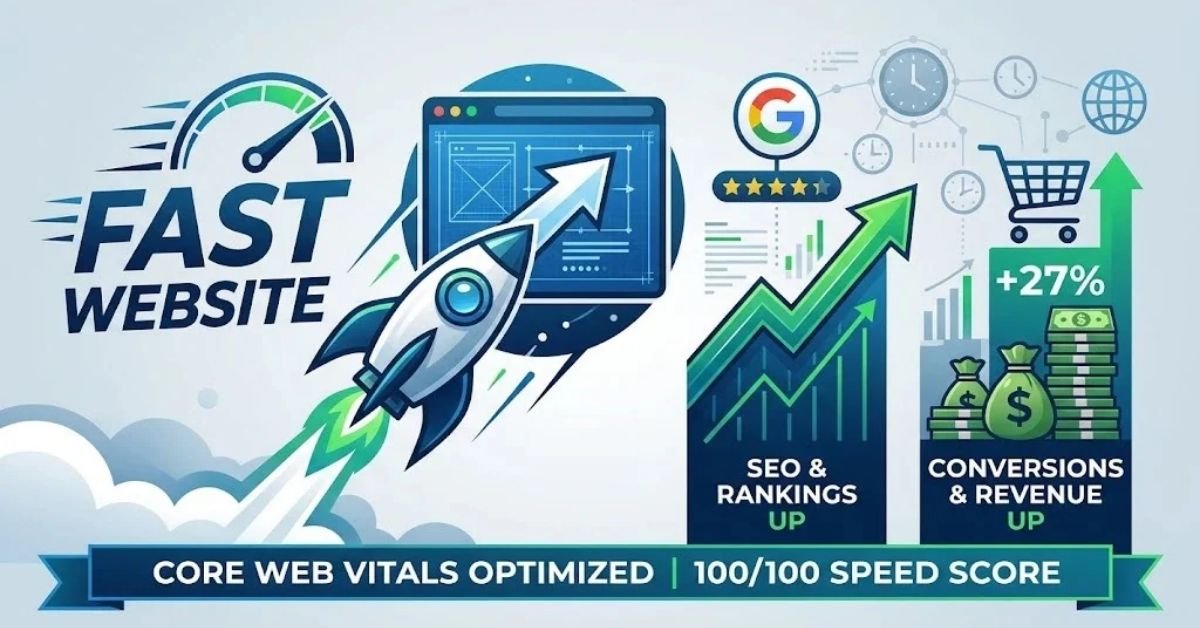
Your website has roughly three seconds to make a first impression. If it takes longer than that to load, most visitors will leave before they ever see your content, your products, or your call-to-action. Website speed optimization is the process of improving your site’s load time, responsiveness, and visual stability to deliver a faster, smoother experience for every visitor — and to earn higher rankings on Google in the process.
Speed is not just a technical nice-to-have. It directly impacts your bottom line. Studies consistently show that every additional second of load time reduces conversions by 7% or more. For businesses investing in SEO, a slow website undermines every other optimization effort you make.
Struggling with slow page speeds? Webdo Solutions builds fast, SEO-optimized websites that convert.
Need a professional SEO strategy tailored to your business?
Get a free SEO audit from Webdo Solutionsand find out where you stand today.
What Is Website Speed Optimization?
Website speed optimization is the practice of improving a website’s load time, interactivity, and visual stability through technical improvements to code, server configuration, media assets, and page architecture. It encompasses both front-end optimizations visible to users and back-end improvements to hosting, caching, and delivery infrastructure that collectively reduce the time between a user’s request and a fully rendered, interactive page.
Why Page Speed Is a Critical Ranking Factor
Google has been transparent about the importance of page speed as a ranking signal. In 2021, Google introduced Core Web Vitals as official ranking factors, and their influence has only grown since. In 2026, page experience signals — including speed, responsiveness, and visual stability — are deeply embedded in how Google evaluates and ranks websites.
The Three Core Web Vitals
Google measures page experience through three specific metrics:
1. Largest Contentful Paint (LCP)
LCP measures how long it takes for the largest visible element on the page — typically a hero image, video, or large text block — to fully render. Google considers an LCP of 2.5 seconds or less to be “good.” Anything between 2.5 and 4 seconds needs improvement, and above 4 seconds is considered poor.
2. Interaction to Next Paint (INP)
INP replaced First Input Delay (FID) as a Core Web Vital and measures how quickly a page responds to user interactions throughout the entire visit — not just the first click. An INP of 200 milliseconds or less is good, 200-500ms needs improvement, and above 500ms is poor. This metric captures the real-world responsiveness users experience as they click buttons, type in forms, and navigate your site.
3. Cumulative Layout Shift (CLS)
CLS measures visual stability — how much the page content shifts around as it loads. If you have ever tried to click a button only to have it jump because an ad or image loaded above it, you have experienced poor CLS. A score below 0.1 is good, 0.1-0.25 needs improvement, and above 0.25 is poor.
Speed and Rankings: The Direct Connection
Google’s own research confirms the relationship between speed and user behavior:
- 53% of mobile visitors abandon a site that takes more than 3 seconds to load
- Pages loading in 1-3 seconds have a 32% lower bounce rate than pages loading in 5+ seconds
- The probability of bounce increases 90% as page load time goes from 1 to 5 seconds
When users bounce quickly from your page, Google interprets that as a negative user experience signal. Over time, pages with high bounce rates and poor engagement metrics tend to lose rankings to faster, more engaging competitors.
How Page Speed Impacts Conversions and Revenue
Speed is not just about rankings — it is about money. The connection between page speed and conversion rates has been documented extensively across industries.
The Revenue Impact by the Numbers
- Amazon found that every 100 milliseconds of latency cost them 1% in sales
- Walmart discovered that for every 1-second improvement in page load time, conversions increased by 2%
- Google found that as page load time increases from 1 second to 3 seconds, the probability of bounce increases 32%
- Vodafone improved LCP by 31% and saw a 15% improvement in their lead-to-visit rate
For businesses in the United States and United Kingdom that depend on website leads — law firms, contractors, ecommerce stores, SaaS companies — even a one-second improvement in load time can translate to thousands of pounds or dollars in additional revenue per month.
At Webdo Solutions, we have seen speed improvements directly boost conversion rates for our clients. When we optimized the website for Dallas Parrots, an ecommerce client, the combination of speed improvements and SEO strategy contributed to their growth from 219K to 4.73M impressions — a transformation that started with building a technically sound, fast-loading website.
Diagnosing Your Website’s Speed Issues
Before you can fix speed problems, you need to identify them. Several free and paid tools can help you audit your website’s performance.
Essential Speed Testing Tools
Google PageSpeed Insights
The most important tool for any website owner. PageSpeed Insights analyzes your page’s performance on both mobile and desktop, provides Core Web Vitals data from real users (field data) and simulated tests (lab data), and offers specific recommendations for improvement.
Google Search Console — Core Web Vitals Report
Search Console provides a site-wide view of your Core Web Vitals performance, grouping URLs by status (good, needs improvement, poor). This is essential for identifying systemic issues that affect multiple pages.
GTmetrix
GTmetrix provides detailed waterfall charts that show exactly when each resource loads, making it easier to identify bottlenecks. It also lets you test from different locations and connection speeds.
WebPageTest
An advanced tool that provides filmstrip views of your page loading process, connection views, and detailed breakdowns of every resource request. Particularly useful for diagnosing complex performance issues.
Chrome DevTools — Performance Tab
For developers, Chrome’s built-in Performance tab provides the most granular view of what happens during page load, including JavaScript execution, layout rendering, and paint operations.

How to Optimize Your Website Speed: A Step-by-Step Guide
Here is a comprehensive approach to improving your website’s speed, organized by the area of impact.
Step 1: Optimize Images and Media
Images are typically the largest files on any web page and the single biggest contributor to slow load times.
Convert to modern formats. WebP and AVIF formats deliver the same visual quality as JPEG and PNG at 25-50% smaller file sizes. Most modern browsers support WebP, and AVIF support is growing rapidly.
Compress aggressively. Use tools like ShortPixel, Squoosh, or ImageOptim to compress images. Most images can be compressed by 60-80% without visible quality loss.
Implement responsive images. Use the srcset attribute to serve different image sizes based on the viewer’s screen size. A mobile user on a 375-pixel wide screen should not download the same 2000-pixel wide hero image as a desktop user.
Lazy load below-fold images. Images that are not visible in the initial viewport should use the loading=”lazy” attribute so they only load when the user scrolls near them.
Size images appropriately. Never upload a 4000×3000 pixel image when it will be displayed at 800×600 pixels. Resize images to the maximum dimensions they will actually be displayed at.
Step 2: Minimize and Optimize Code
Minify CSS, JavaScript, and HTML. Minification removes whitespace, comments, and unnecessary characters from code files, reducing their size by 10-30%. Tools like Terser (JS), cssnano (CSS), and HTMLMinifier handle this automatically.
Remove unused CSS and JavaScript. Most websites load far more code than any single page actually uses. Tools like PurgeCSS can identify and remove unused CSS rules, while code splitting ensures JavaScript is only loaded when needed.
Defer non-critical JavaScript. Any JavaScript that is not needed for the initial page render should be deferred or loaded asynchronously. This prevents render-blocking scripts from delaying the display of visible content.
Reduce third-party script impact. Analytics tools, chat widgets, social media embeds, and advertising scripts all add load time. Audit your third-party scripts regularly and remove any that are not providing clear value. For essential scripts, load them after the main content has rendered.
Step 3: Leverage Browser Caching
When a user visits your site for the first time, their browser downloads every resource — images, scripts, stylesheets, fonts. With proper cache headers, subsequent visits can load most of these resources from the browser’s local cache rather than downloading them again.
Set appropriate cache expiration headers:
- Static assets (images, CSS, JS with version hashes): 1 year
- HTML pages: Short cache or no-cache with revalidation
- Fonts: 1 year
- API responses: Varies based on data freshness requirements
Step 4: Use a Content Delivery Network (CDN)
A CDN stores copies of your website’s static files on servers distributed around the world. When a user in London requests your website, they receive files from a nearby European server rather than from your origin server in Dallas. This dramatically reduces latency for users far from your server’s physical location.
Popular CDN options include Cloudflare, Amazon CloudFront, Fastly, and Bunny CDN. For most small to medium businesses, Cloudflare’s free tier provides excellent global performance.
Step 5: Optimize Server Response Time
Your server’s Time to First Byte (TTFB) — the time between a user’s request and the server beginning to send a response — should be under 200 milliseconds.
Common causes of slow TTFB include:
- Slow database queries that need optimization or caching
- Inadequate hosting (shared hosting for high-traffic sites)
- Lack of server-side caching (page caching, object caching)
- Heavy WordPress plugins executing on every page load
- No PHP opcode caching (for PHP-based sites)
Upgrading from shared hosting to a managed WordPress host, VPS, or dedicated server often provides the single biggest improvement in server response time.
Step 6: Optimize Web Fonts
Custom web fonts add personality to your design but can significantly impact load times if not optimized.
- Limit font families and weights. Load only the weights and styles you actually use. Three font families with five weights each means 15 font files
- Use font-display: swap. This CSS property tells the browser to show text immediately in a fallback font while the custom font loads, preventing invisible text during loading
- Self-host fonts. Hosting Google Fonts on your own server (or CDN) eliminates the additional DNS lookup and connection required to fetch them from Google’s servers
- Subset fonts. If you only need Latin characters, do not load the entire font file with Cyrillic, Greek, and Vietnamese character sets
Step 7: Implement Critical CSS
Critical CSS is the minimum CSS needed to render the above-fold content of your page. By inlining this CSS directly in the HTML head and deferring the rest, you allow the browser to display meaningful content faster.
Tools like Critical (npm package) and Penthouse can automatically extract the CSS needed for above-fold rendering. This technique can improve LCP by hundreds of milliseconds.
Speed Optimization for Different Platforms
WordPress Speed Optimization
WordPress powers over 40% of websites worldwide, and it is notorious for speed issues caused by bloated themes, excessive plugins, and poor hosting. Key WordPress-specific optimizations include:
- Use a lightweight, well-coded theme (GeneratePress, Kadence, or a custom theme)
- Install a quality caching plugin (WP Rocket, FlyingPress, or LiteSpeed Cache)
- Limit active plugins to essentials only
- Use a managed WordPress host with built-in caching and CDN
- Optimize the database regularly to remove post revisions, transients, and spam comments
Shopify Speed Optimization
Shopify handles server-side infrastructure, but storefront speed still depends on theme quality and app load:
- Choose a speed-optimized theme from Shopify’s theme store
- Minimize installed apps — each app can add JavaScript to your storefront
- Use Shopify’s built-in lazy loading for images
- Optimize product images before uploading
- Minimize custom Liquid code complexity
Custom Website Speed Optimization
For custom-built websites using frameworks like Next.js, Nuxt, or Gatsby, speed optimization involves:
- Implementing static site generation (SSG) or server-side rendering (SSR) for critical pages
- Code splitting and tree shaking to minimize bundle sizes
- Edge caching for API responses
- Proper use of React Server Components or equivalent framework-specific patterns
At Webdo Solutions, we build custom websites and SaaS applications with performance baked in from the architecture level — not bolted on as an afterthought.
Measuring and Monitoring Speed Over Time
Speed optimization is not a one-time project. Websites evolve — new pages are added, content is updated, plugins are installed, and third-party scripts change. Without ongoing monitoring, performance can degrade gradually without anyone noticing.
Set Up Continuous Monitoring
- Google Search Console — Check the Core Web Vitals report monthly
- PageSpeed Insights API — Automate weekly performance tests for your most important pages
- Real User Monitoring (RUM) — Tools like SpeedCurve or Google Analytics’ Web Vitals tracking capture performance data from actual visitors
- Synthetic testing — Schedule automated tests through GTmetrix or WebPageTest to catch regressions early
Performance Budgets
Establish performance budgets that define acceptable thresholds for your site:
- Total page weight: Under 1.5MB for standard pages, under 3MB for media-heavy pages
- Number of HTTP requests: Under 50 per page
- LCP: Under 2.5 seconds
- INP: Under 200 milliseconds
- CLS: Under 0.1
- TTFB: Under 200 milliseconds
When a page exceeds any of these thresholds, investigate and resolve the issue before it impacts rankings or conversions.
Speed Optimization and AEO/GEO
Website speed does not just affect traditional Google rankings — it also influences how well your content performs in answer engines and AI search platforms. Fast-loading pages with clean, well-structured content are more likely to be crawled thoroughly and cited by AI systems like ChatGPT, Gemini, and Perplexity.
AI search engines generally prefer content from authoritative, well-maintained websites. A slow, poorly optimized site signals neglect, which can reduce the likelihood of your content being selected as a source in AI-generated answers. Optimizing speed is therefore an important component of both AEO and GEO strategies.
FAQ
What is a good page load time?
A good page load time is under 3 seconds for most websites, with the ideal target being under 2 seconds. However, the most meaningful metrics are the Core Web Vitals: LCP under 2.5 seconds, INP under 200 milliseconds, and CLS under 0.1. These metrics capture the specific aspects of speed that matter most to user experience and Google rankings.
How does page speed affect SEO rankings?
Page speed is a direct Google ranking factor through Core Web Vitals. Pages that meet Google’s “good” thresholds for LCP, INP, and CLS receive a ranking boost compared to slower competitors. Beyond the direct signal, slow pages also suffer from higher bounce rates and lower engagement, which are indirect ranking signals. In competitive markets, speed can be the tiebreaker between two otherwise equally optimized pages.
What are Core Web Vitals?
Core Web Vitals are three specific metrics Google uses to evaluate page experience: Largest Contentful Paint (LCP) measures loading speed, Interaction to Next Paint (INP) measures responsiveness, and Cumulative Layout Shift (CLS) measures visual stability. Together, they quantify the real-world experience users have when visiting your page. Google uses field data from real Chrome users to assess these metrics for ranking purposes.
Can I improve page speed without a developer?
Yes, many speed improvements can be made without developer skills. Installing a caching plugin, compressing images before uploading, removing unused plugins or apps, and switching to better hosting are all non-technical improvements. However, for advanced optimizations like code minification, critical CSS implementation, server-side caching, and JavaScript optimization, working with a professional web development team will produce significantly better results.
How much can speed improvements impact conversions?
The impact varies by industry and baseline speed, but the data is consistent: faster sites convert better. Typical improvements range from 5-15% conversion rate increases for a 1-2 second improvement in load time. For ecommerce sites, the impact tends to be even more dramatic, as every second of delay increases cart abandonment. Vodafone reported a 15% improvement in lead-to-visit rate after a 31% improvement in LCP.
Conclusion: Speed Is Not Optional
In 2026, website speed optimization is not a luxury or a technical afterthought — it is a fundamental requirement for any business that depends on its website for leads, sales, or visibility. Slow pages lose rankings, lose visitors, and lose revenue. Fast pages earn trust, engagement, and conversions.
Whether you need a speed audit of your existing site or a brand-new website built for performance from the ground up, Webdo Solutions can help. Our development team combines technical expertise with SEO knowledge to build websites that load fast, rank well, and convert visitors into customers.
Contact us for a free website speed audit and discover how much faster your site could be.
About the Author: Ozair Sharif is the Founder and CEO of Webdo Solutions, a full-service digital marketing agency specializing in SEO, AEO, GEO, and website development for businesses across the United States and United Kingdom.